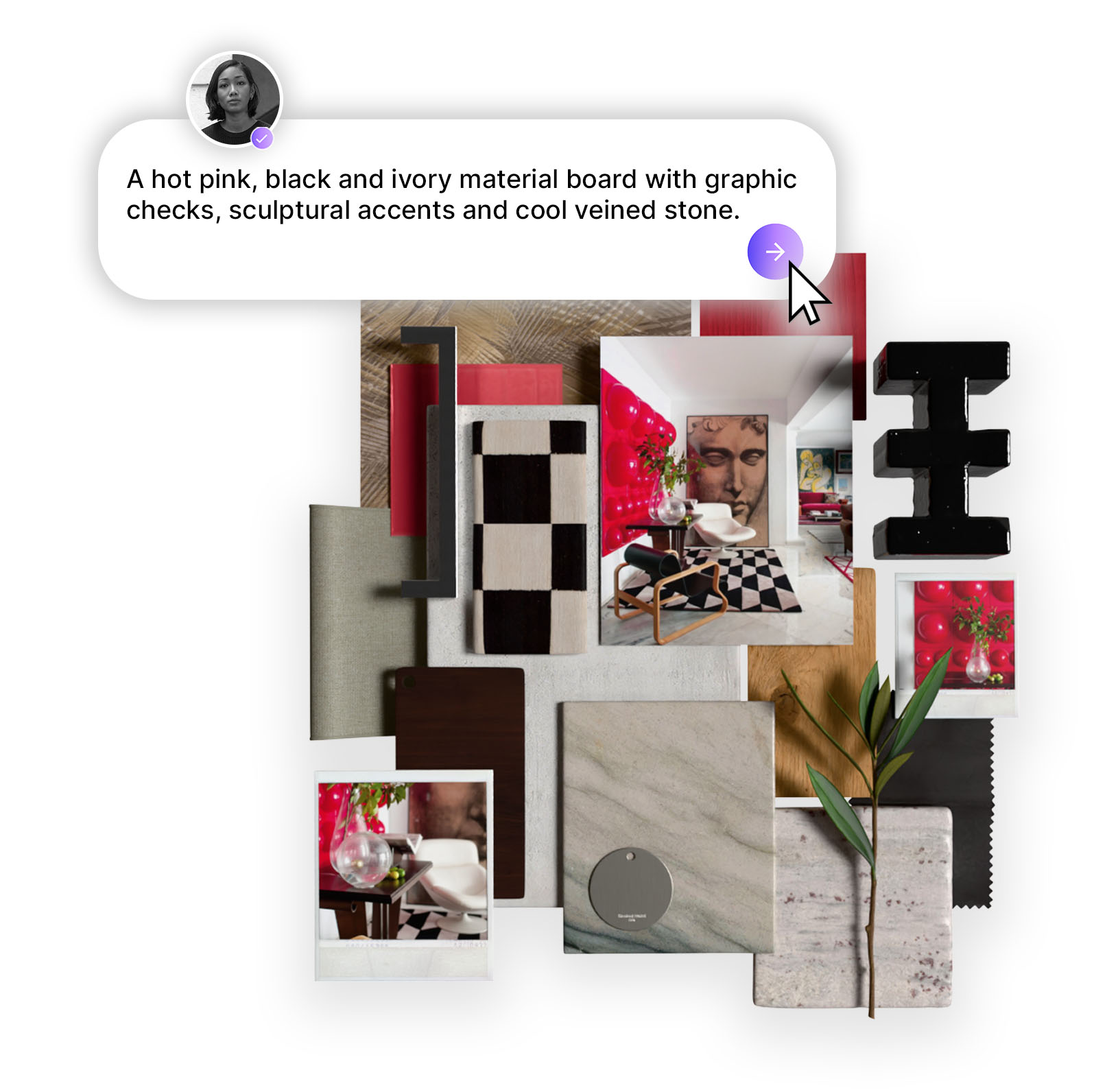
AI is quickly becoming a practical part of the interior design workflow, helping designers move faster from client brief to visual direction, moodboards, space planning, and presentation-ready concepts. The strongest tools are not replacing designers, but removing early-stage friction by helping generate ideas, test styles, refine visuals, and communicate concepts more clearly. From atmosphere-focused tools like Midjourney to production tools like Adobe Firefly and real-material concepting platforms like MattoBoard DesignStream, the future of AI in interiors is less about creating fantasy rooms and more about building useful, sourceable, client-ready design ideas.
"AI is not replacing the interior designer. It is replacing the blank page - the slow, awkward, early-stage friction between an idea, a client brief, and the first visual direction."
There are very few shifts in interior design that have moved as quickly, or as unevenly, as artificial intelligence. Only a few years ago, AI-generated interiors felt like visual candy: impressive at first glance, but often impossible to specify, build, source, or defend in a real client meeting. A beautiful room with no scale, no budget logic, no material truth, and no relationship to procurement is not design. It is an image.
But by 2026, the conversation has changed. AI is no longer just a novelty used to create fantasy interiors. It has become a working layer inside the design process - helping designers generate concepts, test styles, visualize remodels, produce moodboards, accelerate presentations, and explore material palettes faster than traditional workflows allow. The best AI tools for interior designers are not the ones that pretend to do everything. They are the ones that sharpen a specific part of the workflow.
Interior design has always been a translation process. A client says “warm but modern,” “quiet luxury,” “not too beige,” or “hotel-inspired but still homey,” and the designer has to turn vague emotional language into spatial decisions: form, proportion, material, light, furniture, color, and atmosphere.
AI is powerful because it compresses the distance between language and image. A designer can now test ten visual directions before lunch, compare three material moods before a meeting, or turn a rough concept into a presentable visual language in minutes. Generative AI is broadly defined as AI that can create original content such as images, text, video, audio, or code from a prompt, which is exactly why it has become so relevant to concept-heavy design industries.
But the danger is obvious: speed can create lazy design. AI can produce seductive imagery without understanding building codes, lead times, scale, ergonomics, budgets, regional availability, durability, or the simple reality that a chair has to exist somewhere outside the render. For professional interior designers, the best use of AI is not automation. It is acceleration.
The strongest designers are using AI as a collaborator at the front end of the process - not as a replacement for taste, judgment, sourcing, documentation, or client strategy.
Concept imagery
Moodboard generation
Material palette exploration
Room restyling
Floor plan interpretation
Virtual staging
Photorealistic rendering
Prompt-based visual studies
Client presentation visuals
Real-product concepting
Brand and aesthetic exploration
Image editing and refinement
Real materials · concept boards · sourceable palettes · interior briefs
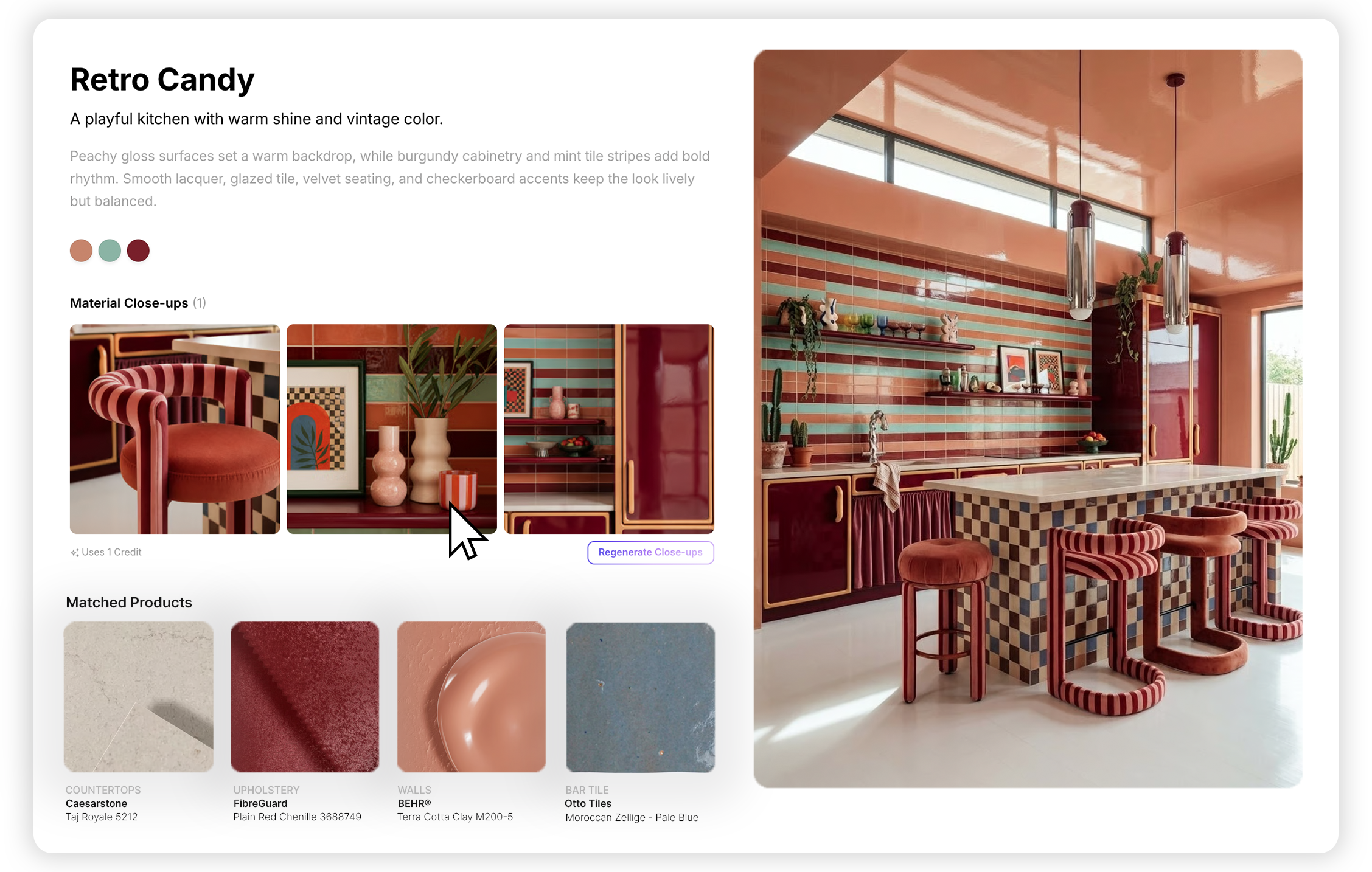
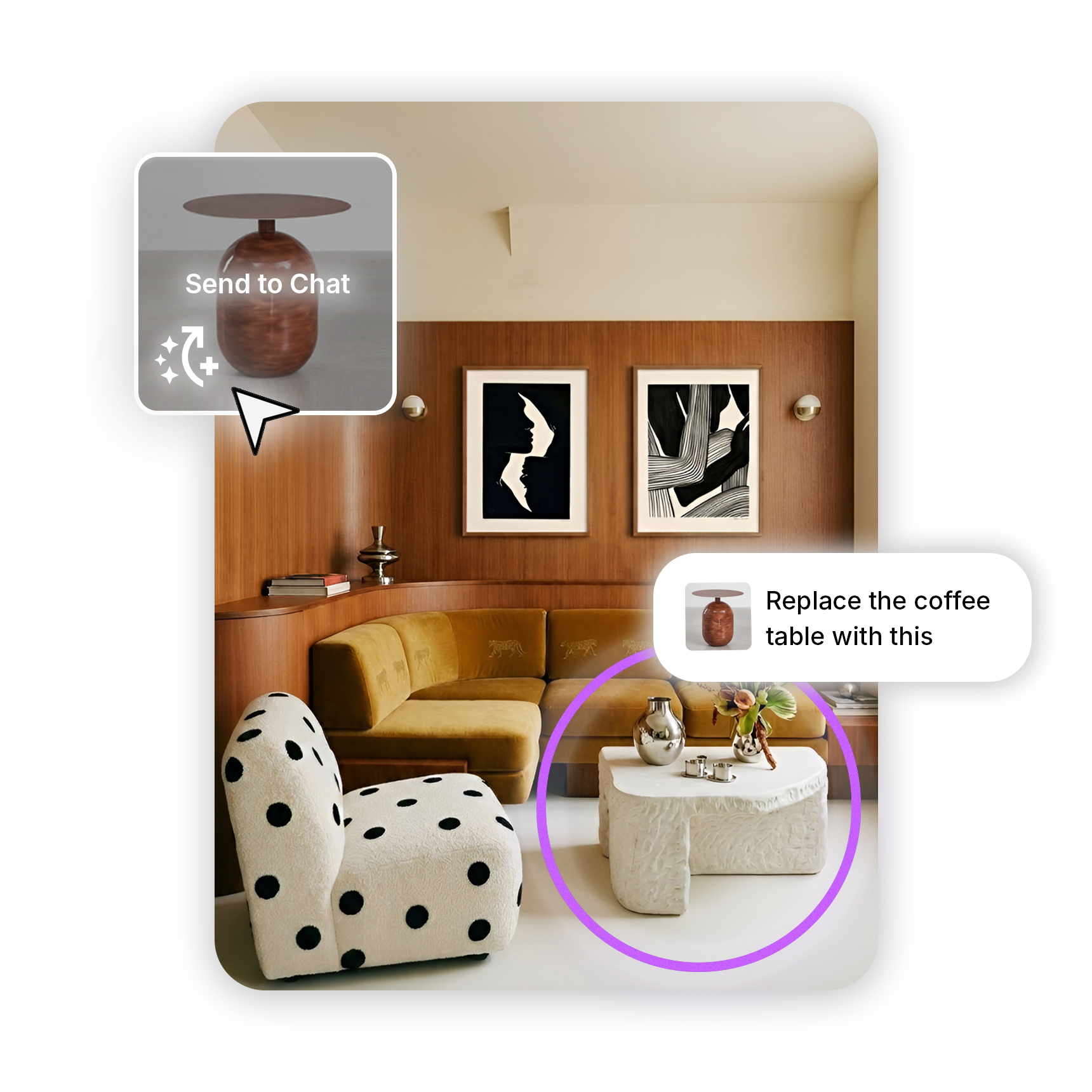
MattoBoard DesignStream belongs in a different category from the typical AI room generator. Most AI interior tools are built around imagery first: upload a room, choose a style, receive a new visual. DesignStream is more specific and more useful to working designers because it connects the concepting process to real materials and products. MattoBoard describes DesignStream as a tool that turns an interior brief into a visualized concept with a material palette of real, sourceable products based on budget, specifications, and aesthetics.
That distinction matters. Interior design is not only about producing a beautiful image. It is about making hundreds of connected decisions that can survive procurement, installation, and client approval. A room concept built around imaginary marble, impossible wood grain, or fictional upholstery might look good on a screen, but it creates problems the moment a designer has to specify it.
DesignStream’s strength is that it understands the designer’s real bottleneck: the gap between inspiration and specification. It helps create editorial-style concepts while keeping the material story grounded in products that can actually be used. For designers building client presentations, concept boards, or early material narratives, this is where AI becomes less like a toy and more like a workflow tool.
It also speaks to a bigger shift in the industry. Designers do not just need more images. They need faster ways to move from brief to direction, from direction to palette, and from palette to something a client can understand.
Design tip: Use DesignStream when the project needs more than “a pretty AI room.” It is strongest when the goal is to turn a client brief into a visual concept tied to real, sourceable materials.
Concept imagery · mood studies · aesthetic exploration · visual language
.png)
Midjourney remains one of the most influential AI tools for visual ideation because it is exceptionally good at atmosphere. It can create interiors that feel cinematic, editorial, surreal, minimal, maximal, historic, futuristic, or hyper-specific in a way that makes it useful for early-stage concept exploration. Midjourney describes itself as an independent research lab exploring new mediums of thought and expanding imaginative powers, which fits how many designers use it: not as documentation software, but as a visual thinking engine.
For interior designers, Midjourney is especially useful before the design becomes technical. It helps answer questions like: What should this boutique hotel lobby feel like? How warm is too warm? What happens if we push the material palette darker? Can a residential kitchen borrow cues from a members’ club? What does “monastic but luxurious” actually look like?
Its weakness is the same as its strength: it is image-first. Midjourney can generate remarkable spatial moods, but it does not know whether the furniture exists, whether the lighting is code-compliant, whether the layout makes sense, or whether the material transitions can actually be built. Used carelessly, it can create client expectations that are difficult to deliver.
Used properly, though, Midjourney is a powerful atmosphere machine. It is excellent for moodboards, internal studies, creative direction, and early visual storytelling — especially when the designer remains in control of what is feasible, useful, and worth carrying forward.
Design tip: Use Midjourney for mood, not specification. Let it help define the emotional world of the project, then translate that world into real products, drawings, and material decisions elsewhere.
Image editing · generative fill · presentation assets · brand-safe visuals
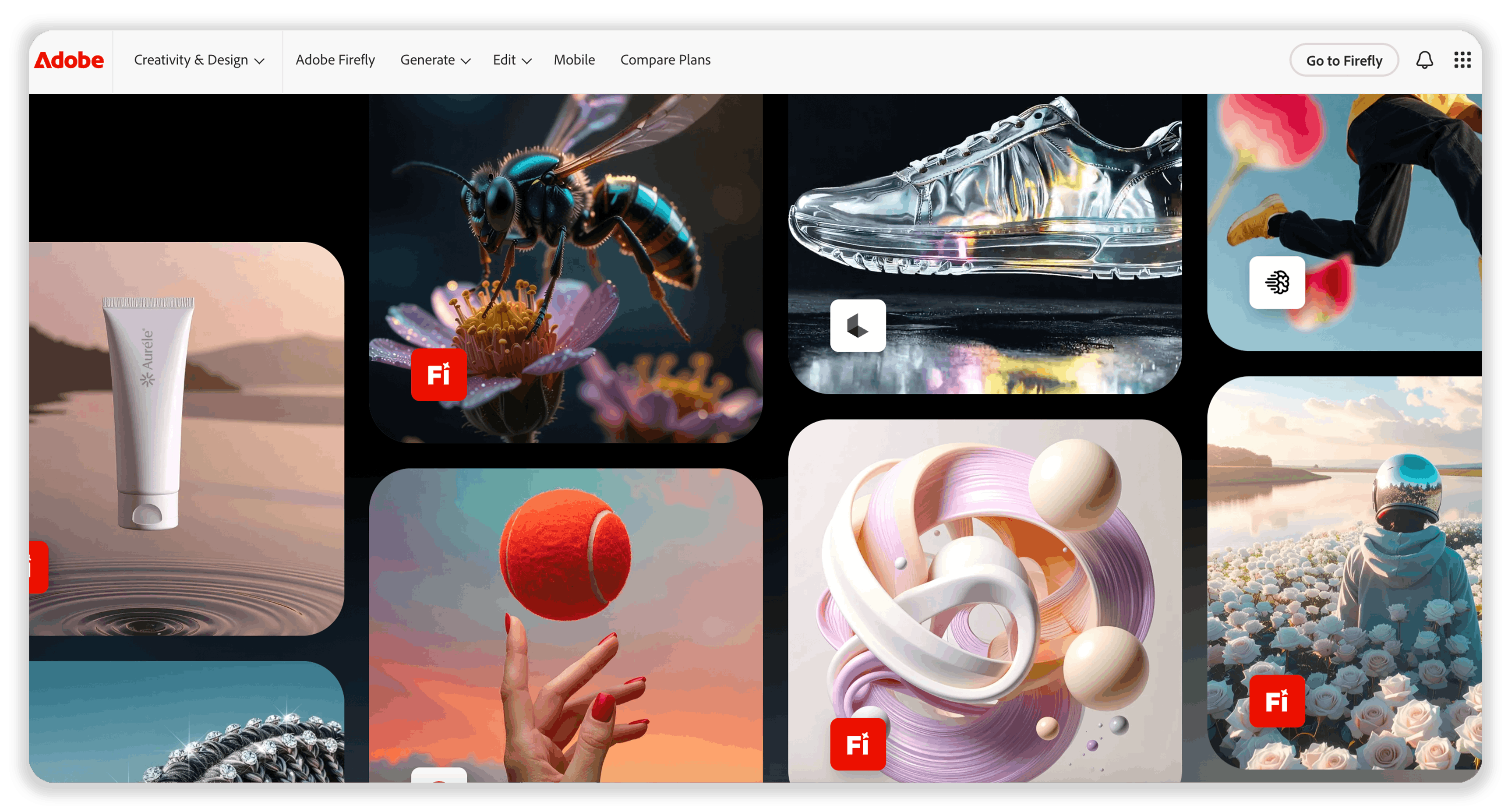
Adobe Firefly has become important because many professional designers already live inside Adobe’s ecosystem. Photoshop, Illustrator, InDesign, and Express are standard tools for presentations, layouts, moodboards, marketing collateral, and client-facing visuals. Firefly’s advantage is not just that it can generate images. It is that it sits close to the production tools designers already use.
Adobe positions Firefly as a family of generative AI models designed to boost creativity and speed up workflows across Adobe products, and it emphasizes that Firefly is designed to be safe for commercial use. For design firms, that matters. The commercial-use question is one of the biggest anxieties around AI imagery, especially when visuals may appear in client decks, websites, social media, or branded presentations.
For interior designers, Firefly is less about inventing entire rooms from scratch and more about controlled creative editing. Need to extend a moodboard background? Remove visual clutter from a reference image? Generate a texture direction? Create supporting visuals for a presentation? Quickly explore an alternate finish direction? Firefly fits those tasks well because it is integrated into a familiar professional environment.
It is not the most imaginative tool for pure fantasy concepting, and it may not replace more specialized interior visualization platforms. But for designers who need cleaner, faster, more presentable assets, it is one of the most practical AI tools in the stack.
Design tip: Use Adobe Firefly when the output needs to live inside a professional presentation workflow. It is strongest for refining, extending, cleaning, and producing visual assets around the design — not replacing the design itself.
3D model rendering · prompt-based visuals · style testing · design iteration
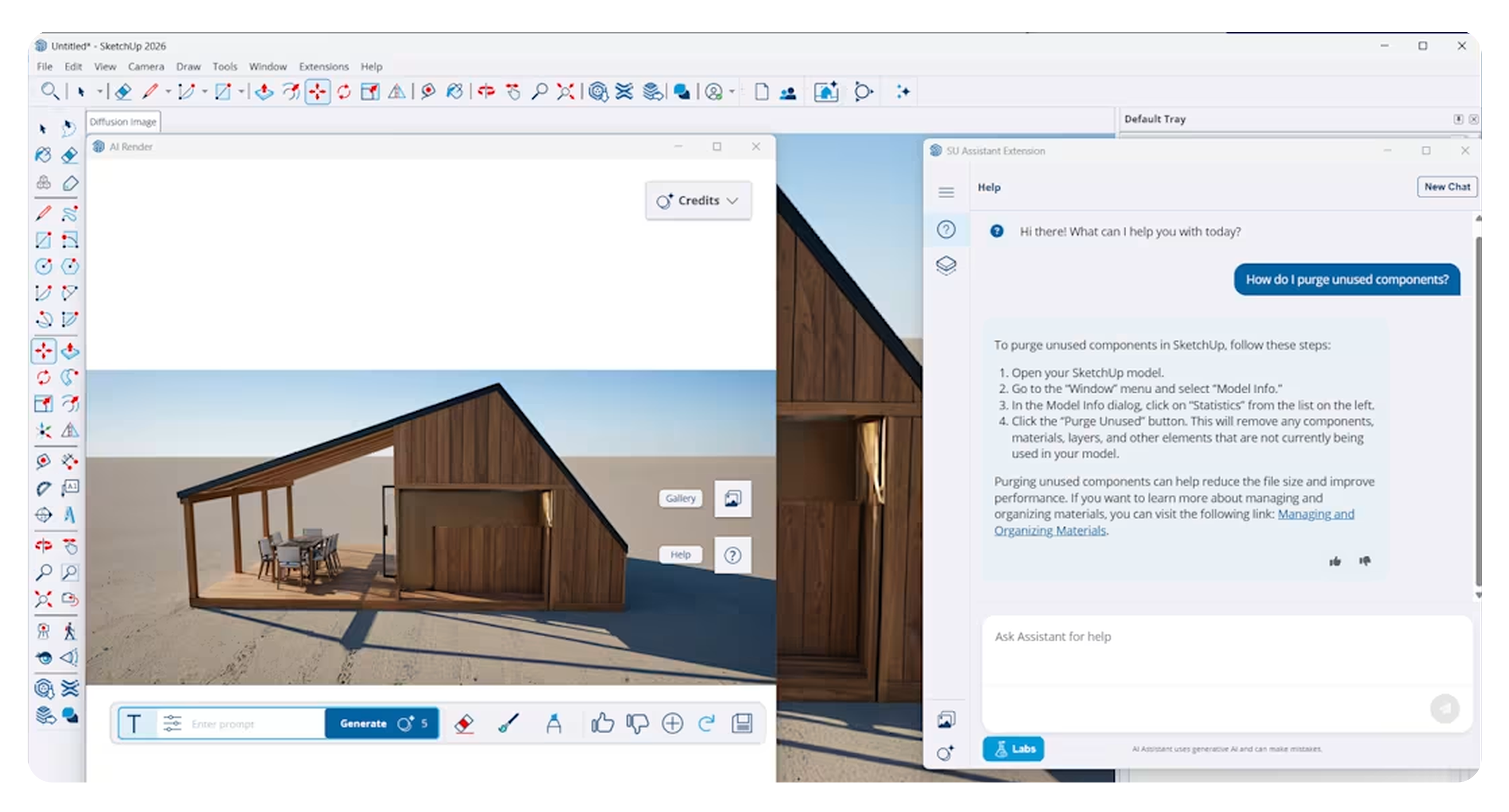
SketchUp has long been one of the most accessible modeling tools for interior designers, especially for early spatial planning and quick 3D studies. Its AI Render feature adds a new layer: designers can combine an active SketchUp model viewport with a text prompt or preset style to generate an AI image from the model. SketchUp says AI Render can create quick photorealistic images, define visual style, control how strongly the prompt influences the output, and mask areas to erase, add, or sketch elements.
This is where AI becomes more spatially disciplined. Instead of generating a room from nothing, the designer starts with a model — with walls, openings, proportions, and views already established — then uses AI to explore finishes, atmosphere, lighting, and styling. That makes it useful for bridging the gap between a basic massing model and a polished client visual.
The real benefit is speed. Traditional rendering can be time-consuming, especially if the goal is not a final marketing image but a quick design conversation. AI Render allows designers to test whether a room wants to be warmer, darker, more minimal, more layered, more hospitality-driven, or more residential without fully rendering every option from scratch.
Its limitation is that AI renders still need scrutiny. Geometry can be interpreted loosely. Details can shift. Material logic may not match the model perfectly. But for quick visual studies, it is a serious productivity boost.
Design tip: Use SketchUp AI Render when the layout already matters. It is strongest when you want AI’s speed without giving up the discipline of an actual 3D model.
2D plans · 3D interiors · virtual staging · furniture layouts
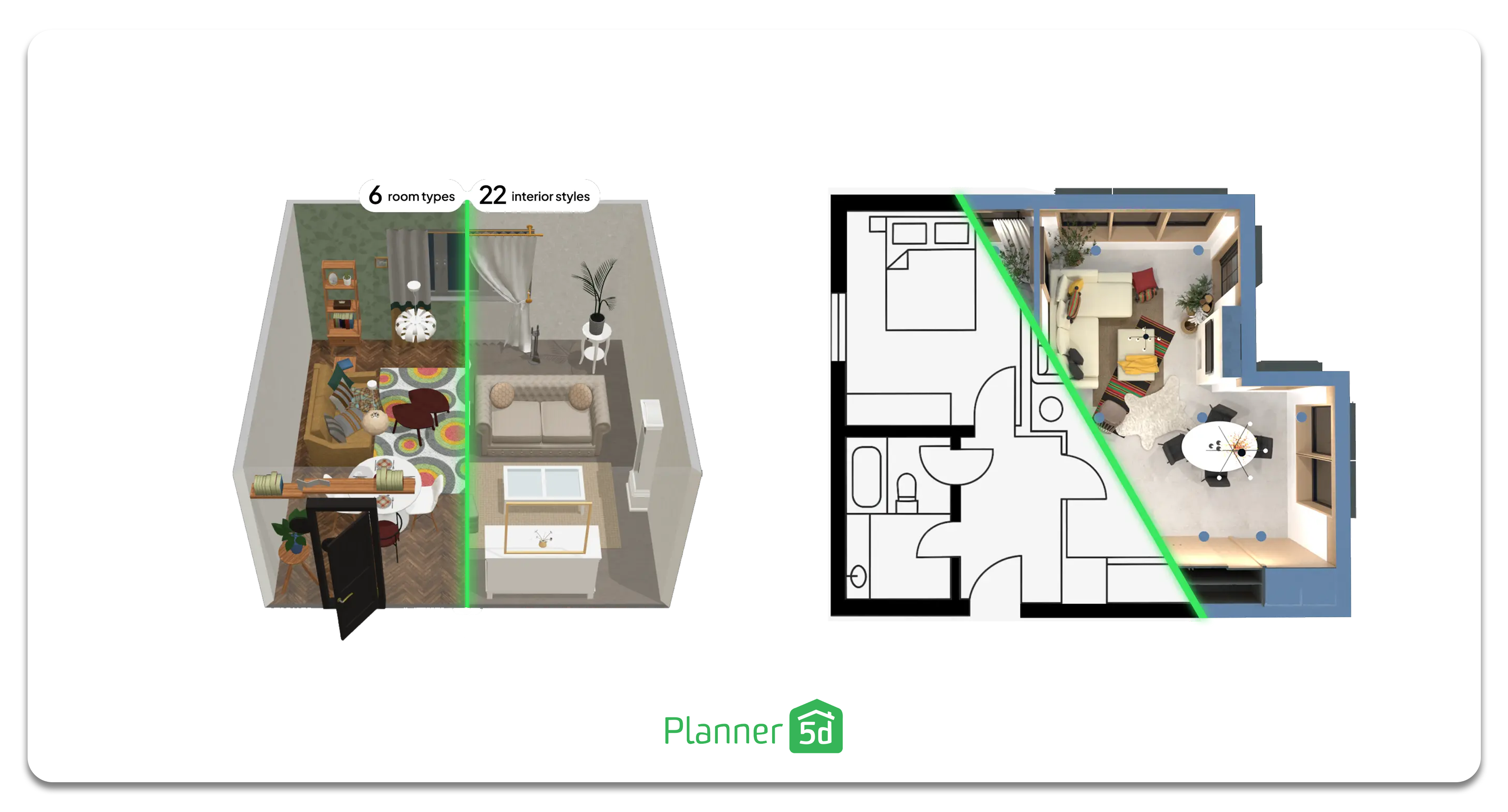
Planner 5D is one of the more accessible AI interior design platforms, especially for designers, decorators, real estate users, and design-adjacent clients who need quick room visualization. Its AI interior design tools support layouts, style testing, 3D visualization, furniture arrangements, color schemes, and virtual staging. Planner 5D also describes its platform as offering 3D and VR walkthroughs to help users explore rooms and visualize outcomes before making physical changes.
Its strength is usability. Not every AI tool needs to be aimed at elite concept artists or large firms. Sometimes the task is simpler: help a client understand a layout, test furniture placement, or visualize a room before committing to purchases. Planner 5D can be useful for quick planning, early homeowner conversations, small residential projects, or fast visual exploration.
For professional designers, it may not replace CAD, BIM, procurement systems, or detailed specification workflows. But it can support early conversations, especially when the client needs to see the difference between options. A sofa on the left wall versus the right wall. A kitchen island with seating versus without. A room in warm neutrals versus a darker palette.
The best use of Planner 5D is not as a final design authority. It is a fast visualization environment — accessible enough to experiment, structured enough to support basic planning.
Design tip: Use Planner 5D when the client needs to understand space quickly. It is most useful for layout testing, 3D previews, and early room-planning conversations.
Room redesign · 3D visualization · decorating concepts · style previews
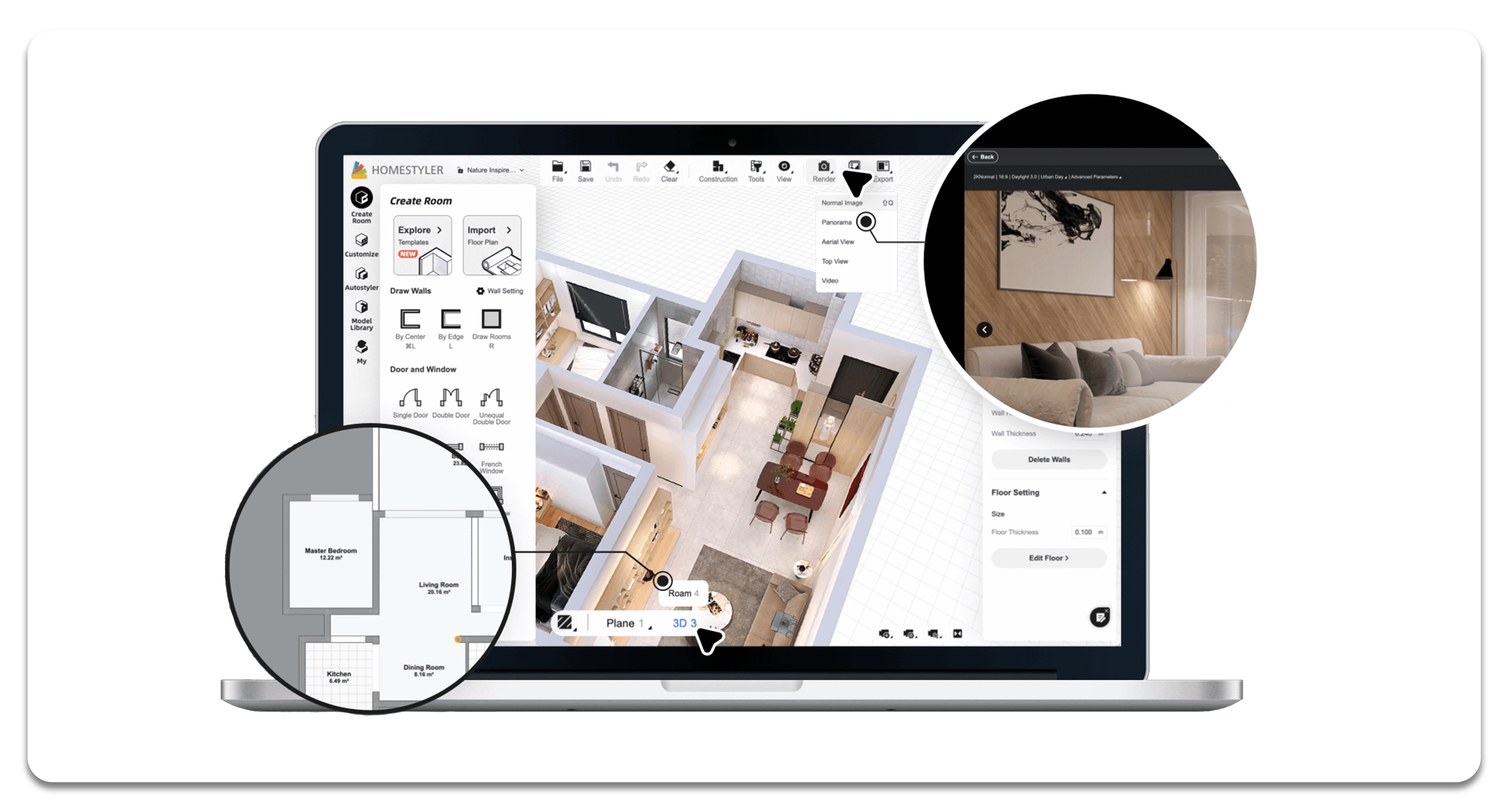
Homestyler sits in the fast-visualization lane: upload, style, decorate, preview, adjust. It is useful for designers who need quick room concepts, decorators working through style options, or clients who want to see a space transformed without waiting for a full modeling workflow.
The reason tools like Homestyler have become popular is simple: most clients struggle to visualize change. They can look at a swatch, a sofa, a paint chip, or a tile sample and still fail to understand the total effect. AI visualization tools help collapse that uncertainty. They can quickly show how a room might feel with lighter flooring, darker cabinetry, warmer lighting, different furniture, or a new decorative language.
This does not mean the output should be treated as final design. Like many AI interior tools, Homestyler-style workflows can produce attractive but generalized rooms. The designer’s job is to bring back specificity: scale, client lifestyle, material quality, budget, maintenance, brand alignment, and installation reality.
Still, for visual persuasion, these tools are useful. They help clients move from abstract fear to visible possibility.
Design tip: Use Homestyler-style visualization when the client is struggling to imagine the transformation. It is strongest as a before-and-after communication tool, not a full design documentation tool.
Client briefs · SEO · concept language · research · documentation support
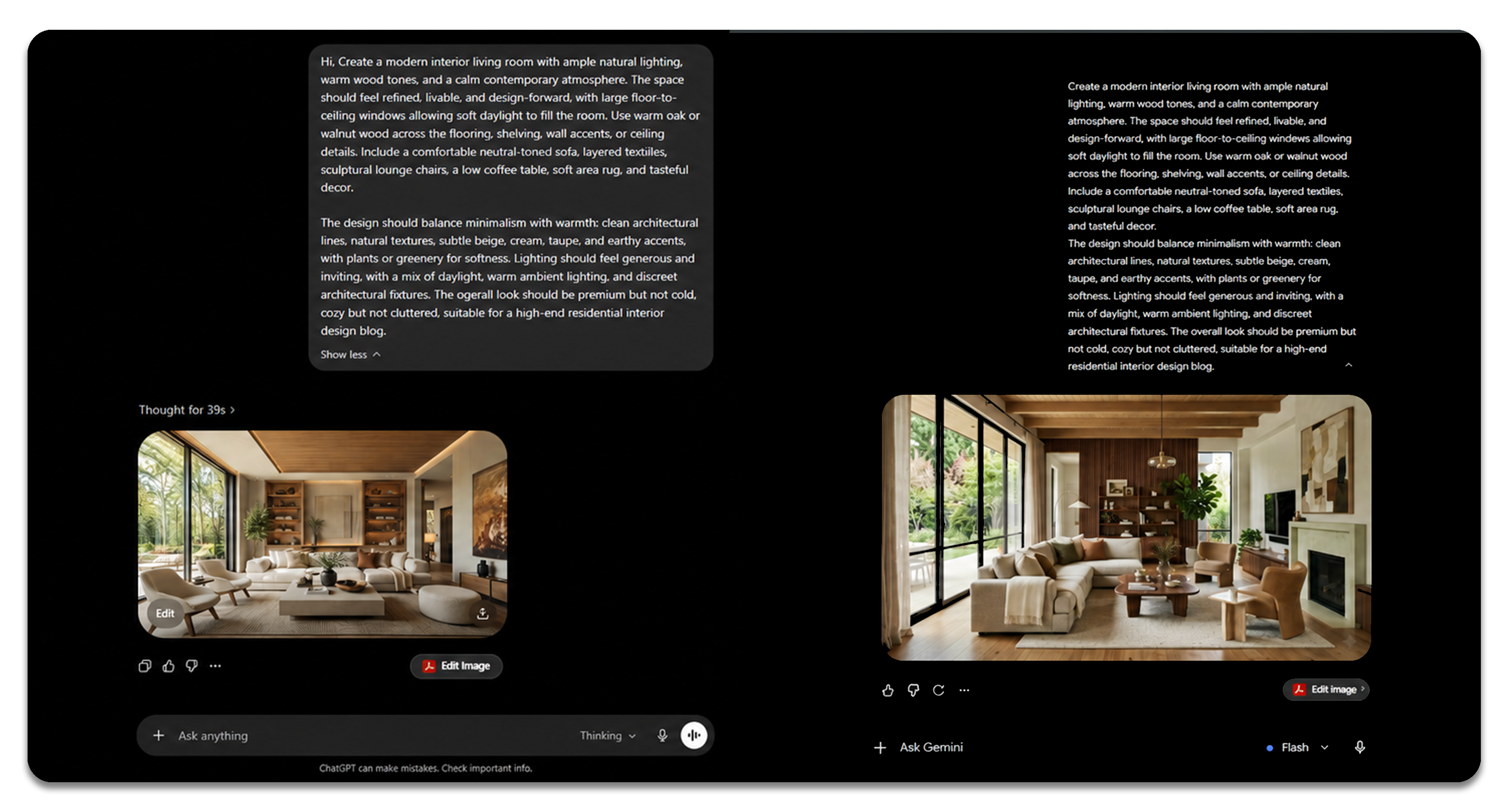
Not all AI for interior designers is visual. Some of the most valuable AI work happens in language: clarifying a client brief, creating concept narratives, organizing meeting notes, drafting project descriptions, building SEO outlines, writing procurement emails, summarizing trend research, or turning scattered ideas into a coherent design direction.
Tools like ChatGPT and Gemini are useful because interior design is full of writing that designers rarely have time for. Every project needs language: the story behind the concept, the explanation of the palette, the rationale for the material choices, the client-facing description, the website copy, the Instagram caption, the product notes, the design intent. AI can help draft that language quickly, especially when the designer provides the real thinking and uses the tool to structure it.
This is especially relevant for interior designers who market themselves online. Search, AI Overviews, Pinterest, Instagram, project pages, and blog content all reward clear, specific language. A beautiful project with weak written framing is easier to miss. A strong project with strong language becomes easier to understand, easier to share, and easier to find.
The danger, of course, is generic writing. AI can produce polished nonsense if the prompt is vague. The designer still has to supply the point of view.
Design tip: Use language AI to sharpen the story around the design. The more specific the input — client, constraints, materials, feeling, problem, solution — the stronger the output.
The best AI tools for interior designers in 2026 are not competing to become “the designer.” They are becoming specialized assistants inside the design process.
Midjourney is strongest for atmosphere.
Adobe Firefly is strongest for controlled creative production.
SketchUp AI Render is strongest for model-based visual studies.
Planner 5D is strongest for quick space planning and approachable visualization.
Homestyler is strongest for fast room transformation previews.
ChatGPT and Gemini are strongest for language, research, briefs, and strategy.
MattoBoard DesignStream is strongest where concept imagery needs to connect back to real materials and sourceable design decisions.
That last point is where the industry is heading. The first wave of AI interiors was about spectacle. The next wave is about usefulness. Designers do not need infinite imaginary rooms. They need faster ways to think, test, explain, source, and present.
AI is not the end of interior design. It is the end of pretending that every early-stage design task needs to be slow.
Use AI where it removes friction, not where it removes judgment. The designer’s value is still taste, restraint, context, client understanding, and the ability to turn an image into a room that can actually exist.
Try out DesignStream now at MattoBoard.com
.png)