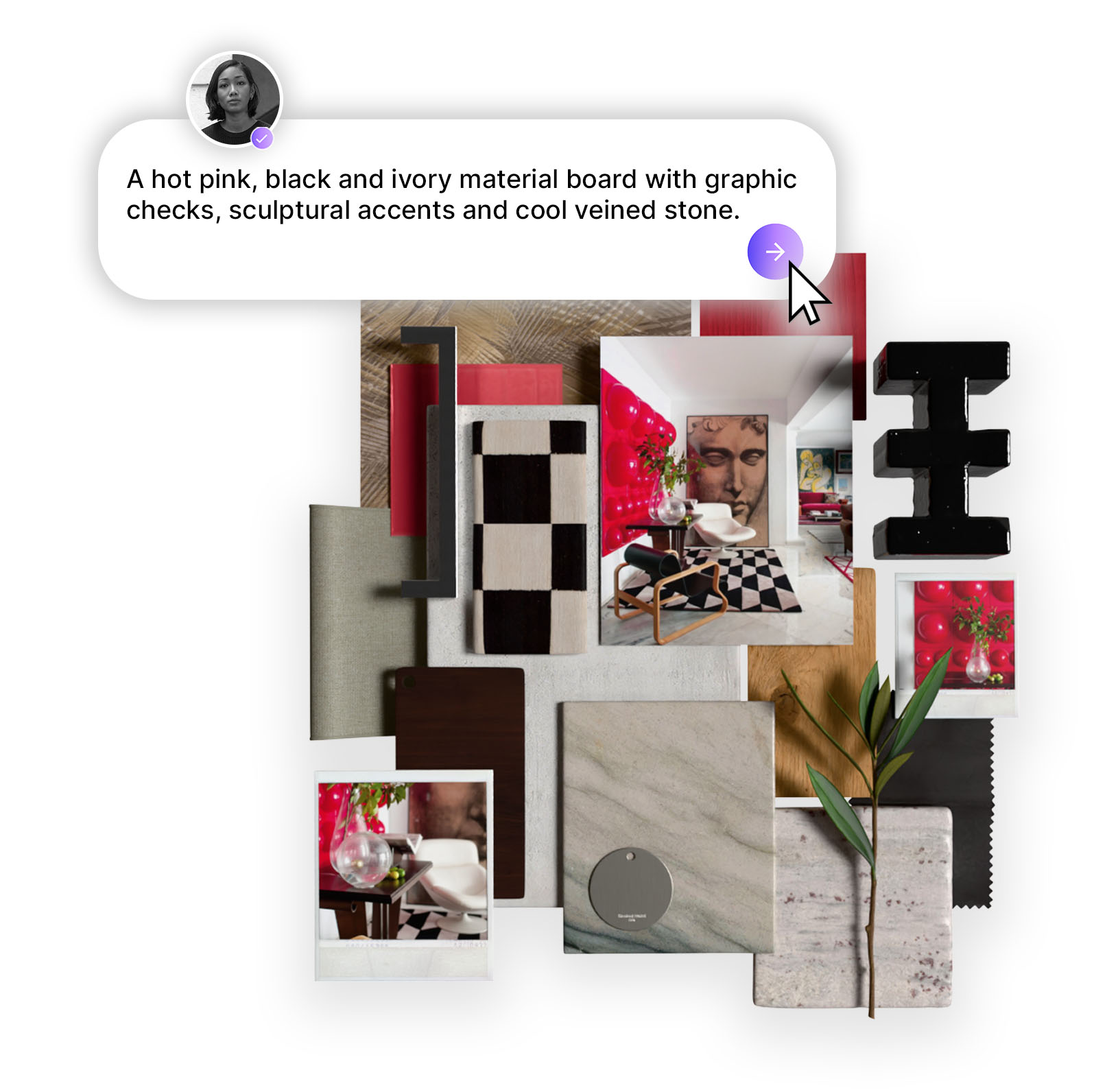
Design Stream is MattoBoard’s AI concepting tool that turns briefs, inspiration images, and floor plans into editorial style interior concepts using real materials and products. It helps designers move from scattered inspiration to clear, editable concepts and material boards faster, making it easier to explore ideas and share design direction with teams and clients.

Design workflows in interior design often begin with scattered inspiration images, references, materials, and sketches all across 20+ tabs. Turning those ideas into a clear visual concept can take hours of searching, arranging, and refining before a designer even reaches the first presentation board.
AI is changing the early stages of the design process. Instead of manually assembling inspiration, designers can now generate concept directions that combine visuals, materials, and palettes from the start. MattoBoard’s Design Stream was built specifically to streamline and elevate this part of the designers workflow.
Design Stream is Mattoboard’s AI tool designed to help designers turn briefs and reference images into fully rendered spatial concepts using real materials and palettes.
Instead of starting from a blank canvas, designers can generate visual concepts, explore material combinations, and refine palettes based on mood, style, and project context.
Designers can begin with a short brief, reference image, or concept idea and Design Stream will then generate editorial-style images, material suggestions, and matching palette combinations that can be edited with real products and created into photo-realistic material boards for collaboration and client feedback.
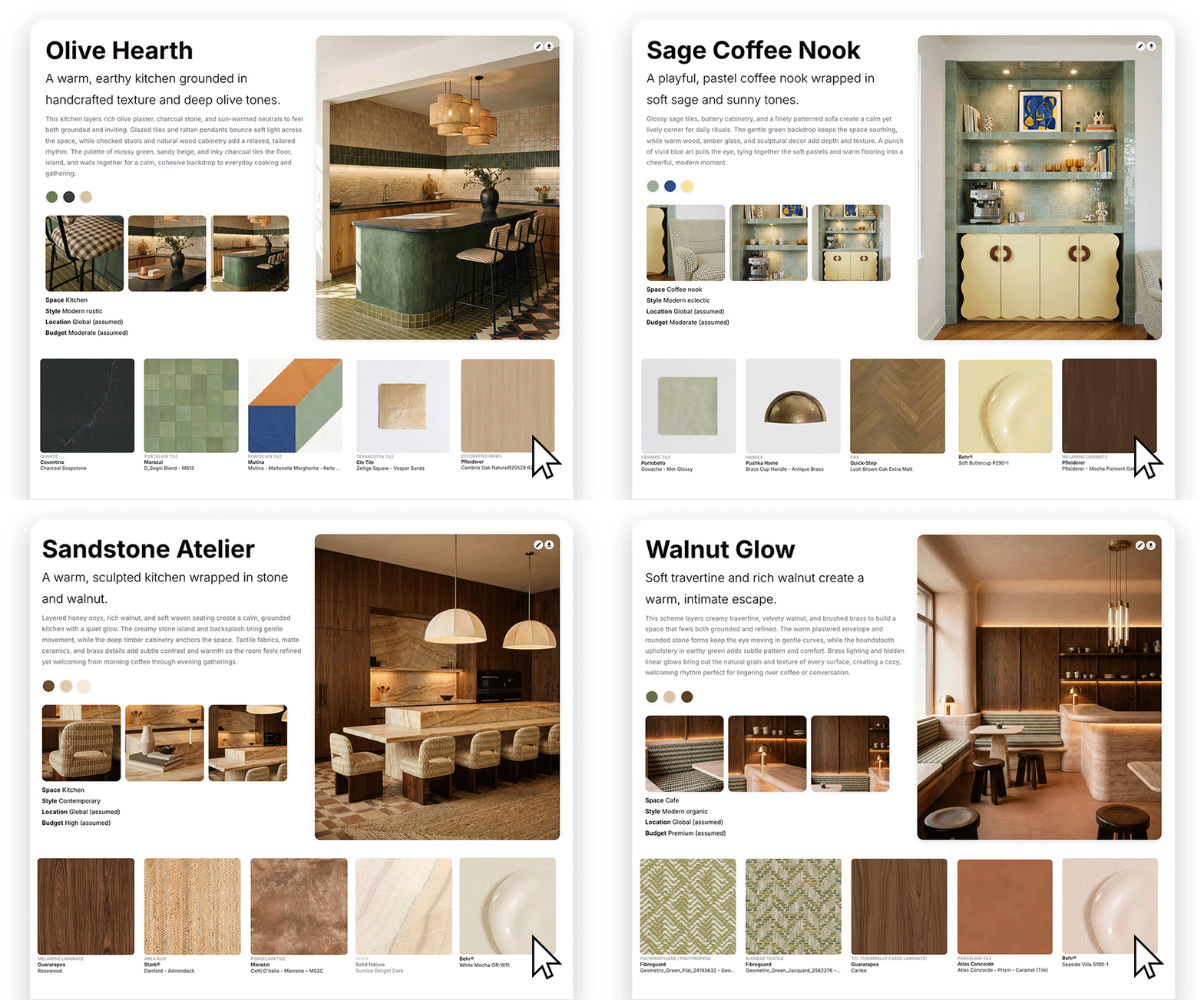
Design Stream helps designers:
By structuring inspiration early in the design process. Design Stream helps designers move from brief to concept faster.
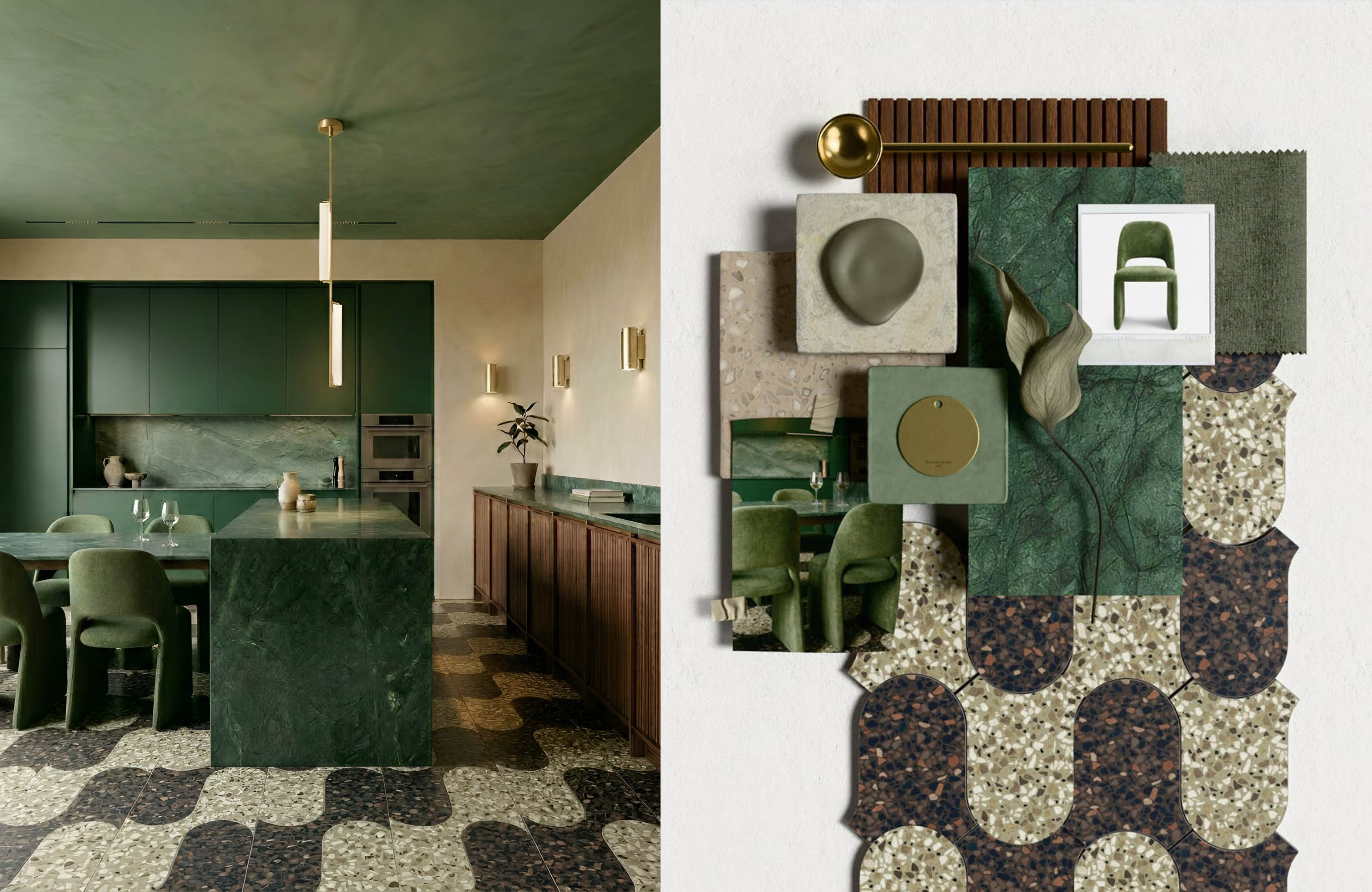
One of the most time consuming parts of the early design process is gathering visual references. The idea starts to take shape after hours spent searching through Pinterest or Google, trying to find images that capture the mood or style of the project.
This process can be fragmented and repetitive. References coming from multiple sources, taking a significant amount of time to filter through before a coherent direction emerges. After collecting images, a designer still needs to arrange all this into a board to communicate the overall look, material palette and atmosphere of the space. AI assisted concepting aims to simplify this stage of the process.
Instead of manually searching for dozens of images, designers can start with a brief, mood description or reference image and generate a visual concept that combines real materials and products.
This allows designers to quickly move from away from scattered inspiration to a structured, editable concept and material board that’s easy to share with their team and clients.
.jpg)
Start with inspiration
Begin with a prompt, client brief, reference images, or even a floor plan. Combine these inputs to set the direction for your concept.
Generate concepts
Design Stream analyzes your input and creates editorial style images that bring the space to life.
Refine the design
Edit your concept using chat prompts, material swaps, and visual adjustments. Explore variations in mood, materials, lighting, and layout to refine the direction.
Build a material board
Send materials from your concept into MattoBoard’s 3D mood boarding tool to create a curated board with materials, images, and accessories.
Share with collaborators
Export photorealistic visuals or share a 3D board link with teams and clients to align on the design direction early.
Many AI tools can generate interior images, but Design Stream is built for design exploration, not just standalone visuals.
The goal is to move beyond image generation and help designers turn inspiration into a clear editorial-style design direction. By combining concept imagery with real materials and products that you can actually source, designers can explore ideas, refine concepts, and share them within a real project workflow.
Design Stream is perfect for concept development, when designers are exploring visual direction, mood, and materials before moving into detailed specifications.
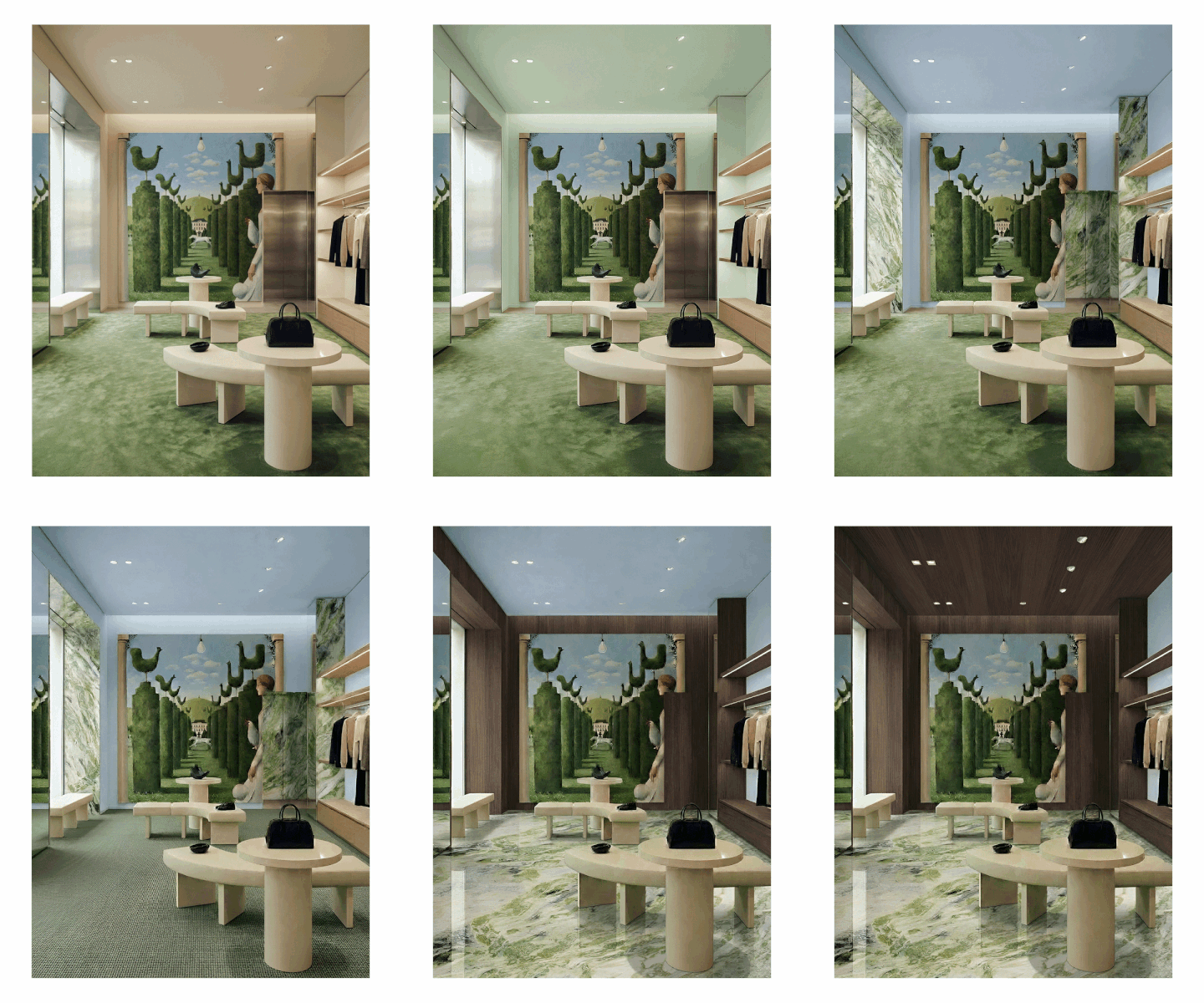
You can start by generating editorial style images from prompts, inspiration images, or floor plans to quickly bring ideas into a visual space. From there, refine the concept by editing the image, adjusting the mood, layout, or lighting, and experimenting with real materials and products.
You can also begin with an existing image by uploading it to the editor and swapping materials, products, or finishes to test different directions.
By combining editorial-style concept imagery generation with real world materials, designers can quickly explore material options, iterate on ideas, and align on the overall look and feel of a project.
AI tools are reshaping how designers explore ideas and approach their workload. Design Stream does not replace creativity or designers, but supports them in the early stages of the design process.
Design Stream by MattoBoard is launching soon.
Be the first to hear as soon at launches by joining the waitlist here.
Watch the Design Stream demo here.


.png)