This one feels big.
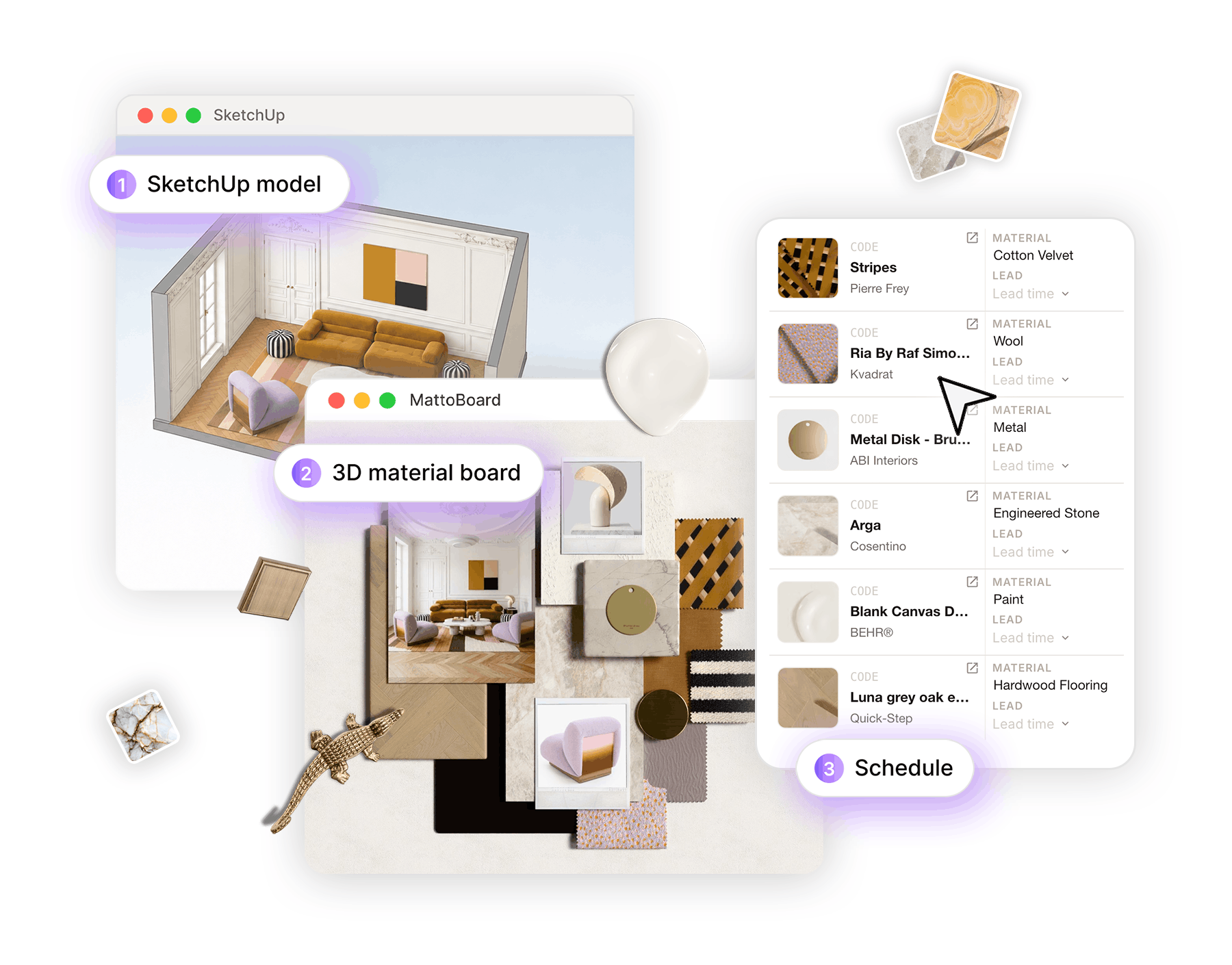
MattoBoard is now inside SketchUp. Real-world materials, from real brands, sitting directly beside the model where so many designers do their thinking.
For the last three years, we have been working on one question: how do you better connect the world of bits with the world of atoms?
It sounds abstract. It isn't. It is one of the oldest tensions in design.
.png)
Architecture taught me that a drawing is a promise. Every line you draw will one day become something someone can touch.
Interiors are no different. A stone. A tile. A piece of timber. A fabric. Real things, from real brands, that eventually have to make their way into a real room.
The model is where those decisions are tested. The room is where people live with them. Everything in between is translation, and translation is where things get lost.
Until now, the connection between the two worlds has been surprisingly broken.
You model in SketchUp, Revit, or Archicad. Then you leave. You search Google and brand websites, download a texture, go back to your model, test it, and repeat.
Every exit is a small break in concentration. And creativity is never linear. The best ideas arrive mid-flow, in the middle of the great creative mess. Losing them to a browser tab is a cost no one ever invoices for, but every studio pays it.
We have been treating this as normal. It isn't. It's just familiar.
When MattoBoard sits directly beside you while you model, like in SketchUp, you can search for “warm green marble” in the moment you need one. Or drop in an image as a reference and see the library change to matching products. Search for a real material from a real brand, and drop it straight into the model.
No tabs. No downloads. No detours. Just the decision, in context, where it belongs.
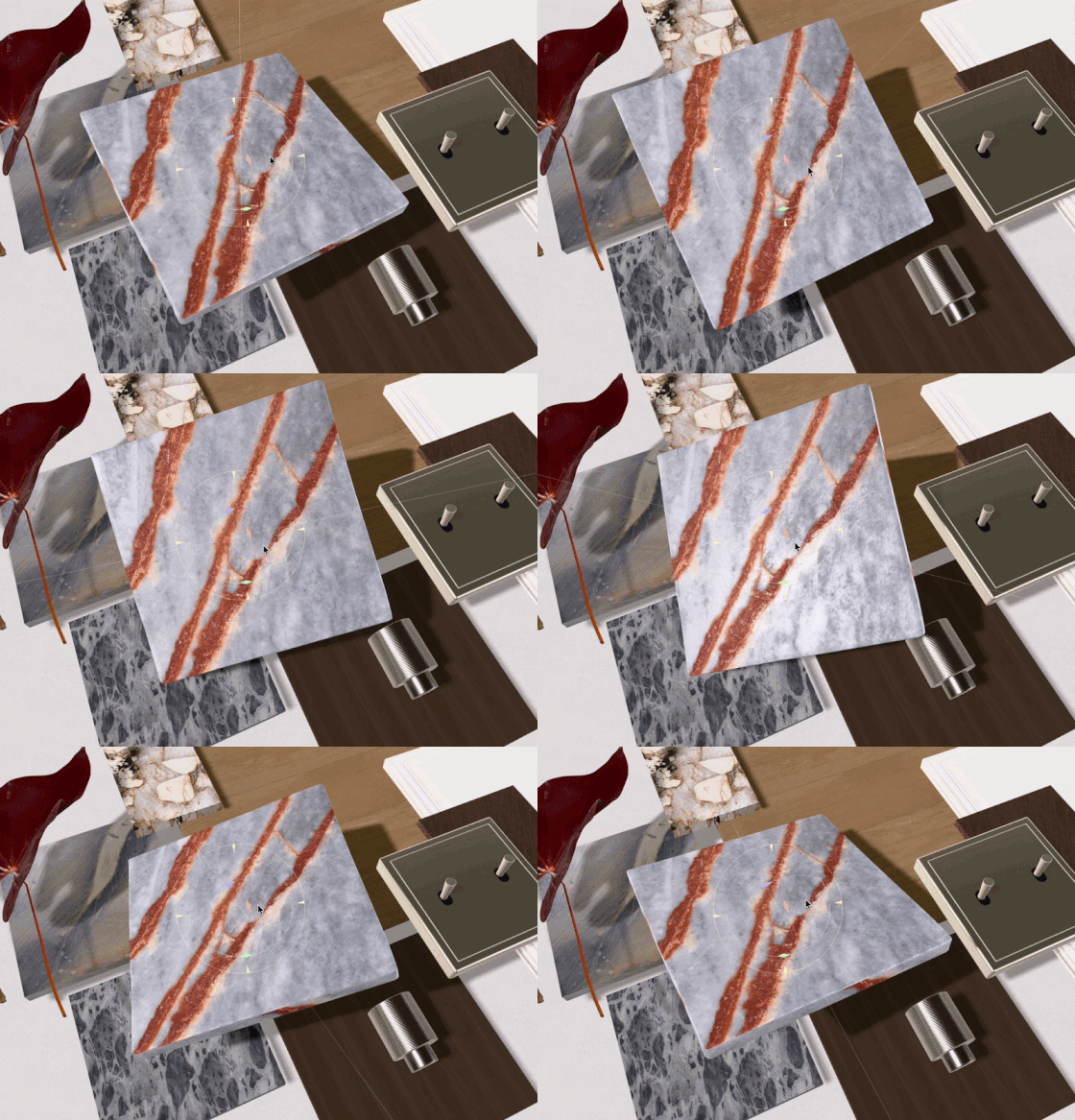
This is the idea at the heart of everything we build.
A generic texture is a picture of a surface. A virtual sample is a real product, from a real brand, that you can go on to specify and order.
The largest A&D 3D material library of real-world virtual samples now lives inside the tool where those tests happen. This is what we call virtual sampling & visual curation.
For designers, it means less searching and faster decisions. Taste does the work. The tool clears the noise.
For brands, this matters just as much.
Now brands can be present at perhaps the most important moment of all: the moment a product becomes part of the design.
Because if it makes it into the model, it has a chance of making it into the room.
Materials and products are the building blocks of interior projects, and curating them is a process that combines technical knowledge, design tools, and visual aesthetics. Connecting real-world product curation with digital tools is what we have been building toward from the beginning: the first full visual curation studio for interior design projects. A place where discovery, design, decision, and delivery speak the same language because they all start with the same real materials.
Bringing MattoBoard into SketchUp is an important step on that path. Huge thanks to the Trimble team for making this possible.
And to our team at MattoBoard, who built this. I'm very proud of what they've pulled off.
Bits and atoms, finally coming into the same room.
— Guy
Discover what you can do with the MattoBoard Sketchup extension.